wise
WISE:send money instantly, transparently, conveniently
Dear users
Thank you for participating in the website testing. We choose Wise as the main payment method because it has a lower service fee and accepts more currencies than Paypal. In case some of you haven't used it, this post will show you how to register and transfer money with WISE.
1. Use a valid email to register WISE (
https://wise.com/
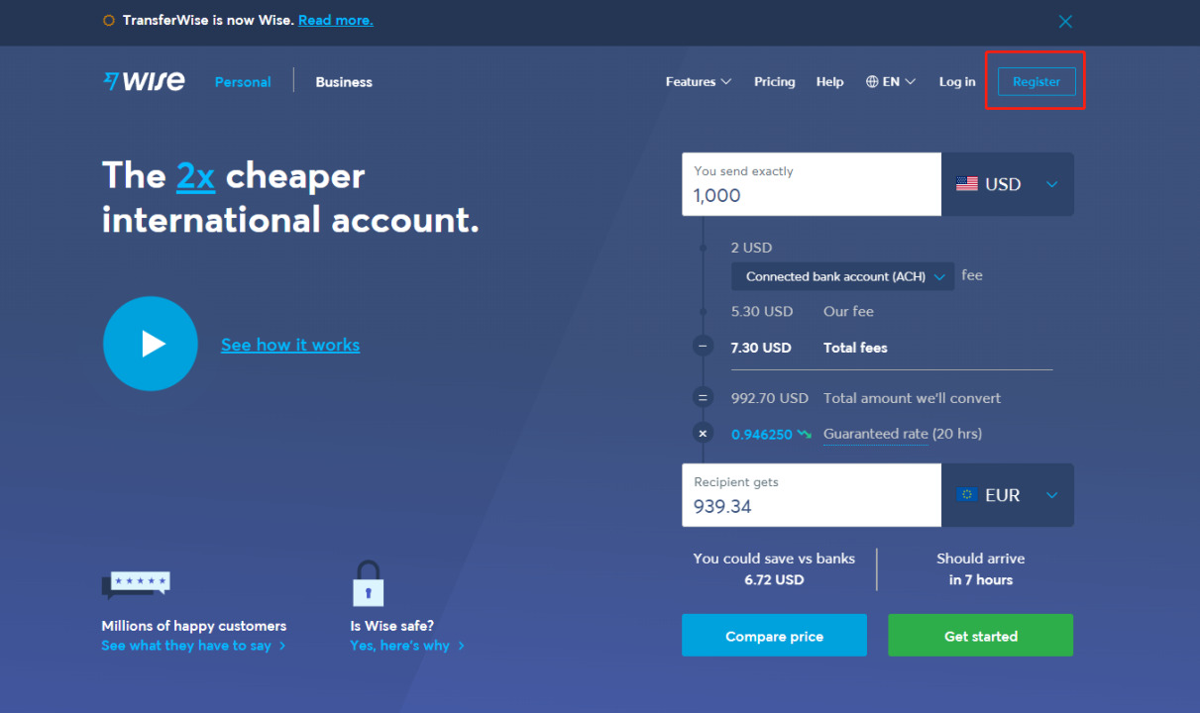
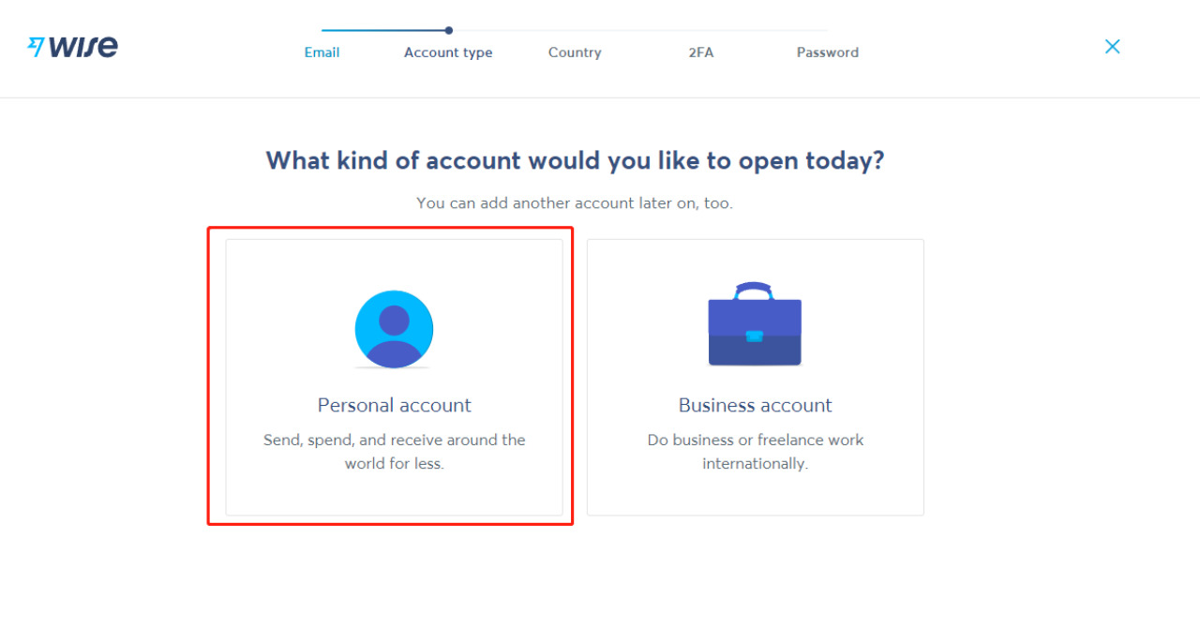
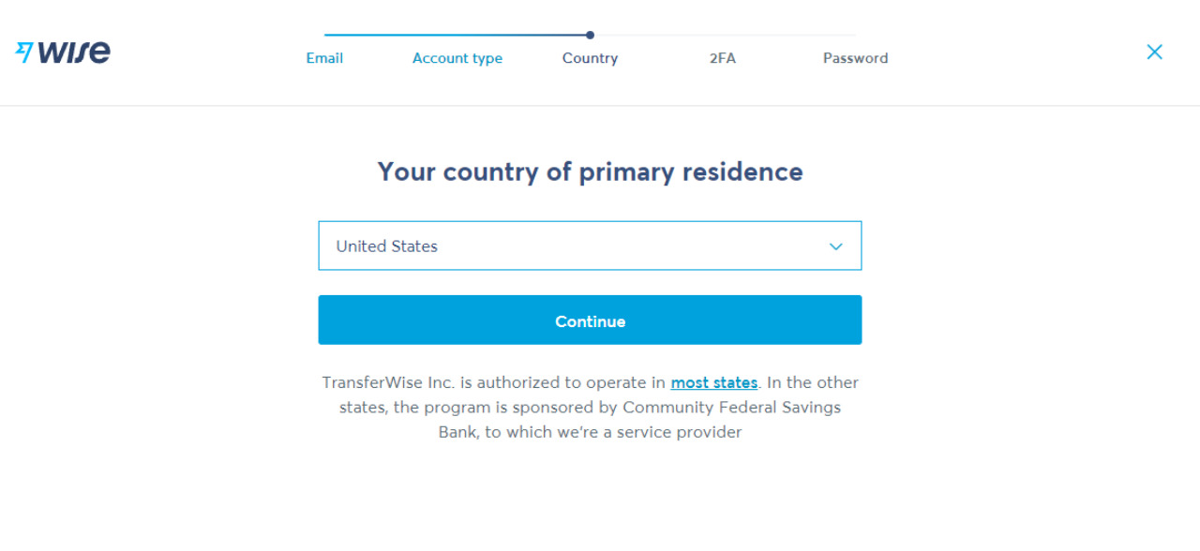
Go to the official web of WISE to open a personal account.
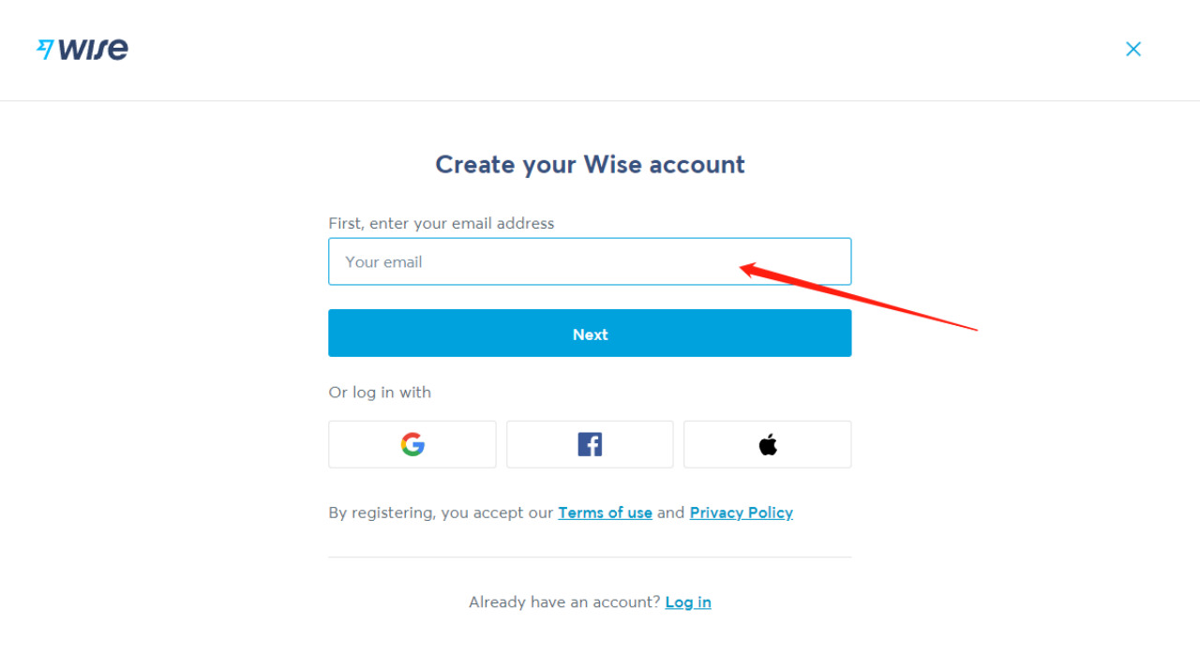
Create your account with a valid e-mail, make sure your email account is valid which matters if you could use it normally in the future.
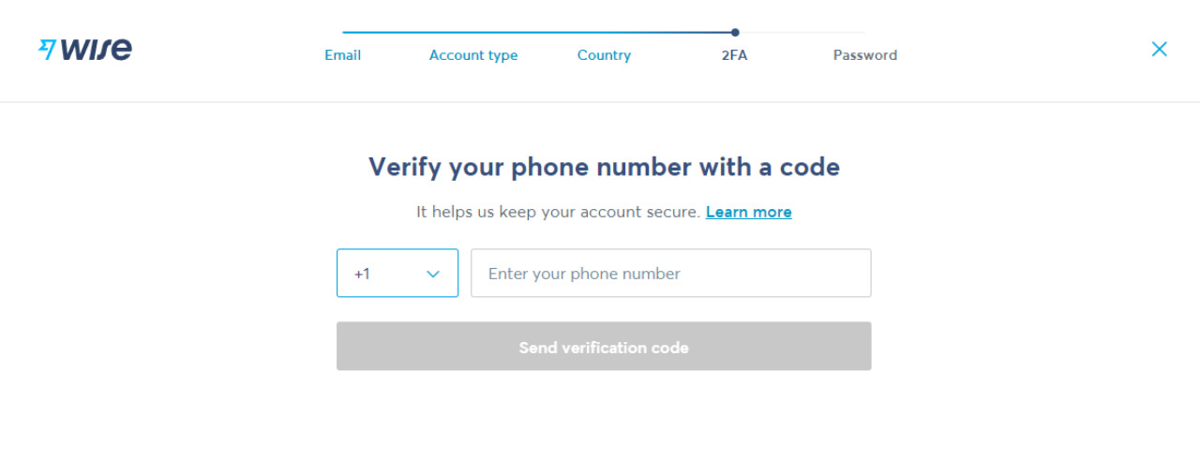
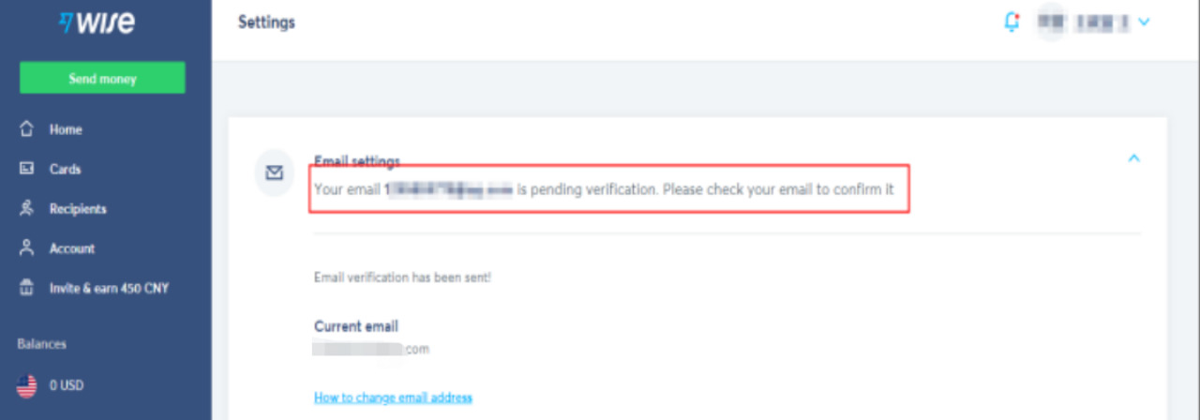
Enter your phone number and verify it with the 6-digital-code in the message send from WISE, and we will log in successfully. Click "Settings" to verify your e-mail.
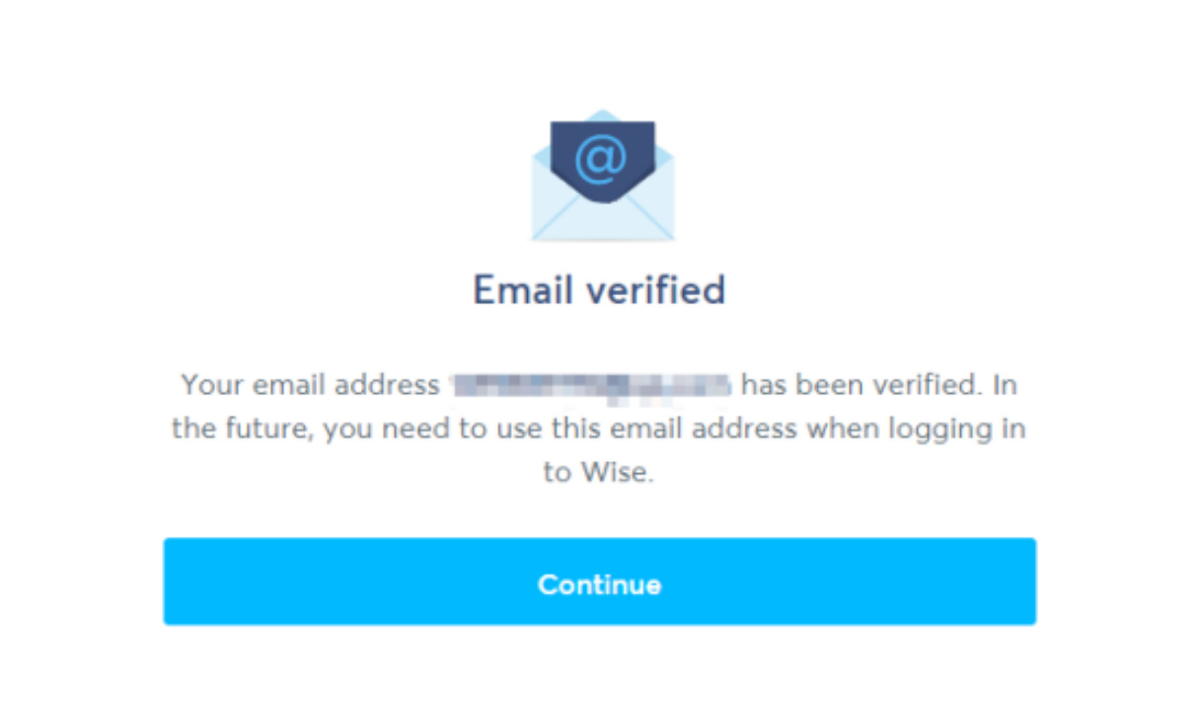
There will be an e-mail sent to you with a verification link inside. Click the link to get your e-mail verified. if you don't receive yours, check your spam, or wait for a while, it will delay sometimes.
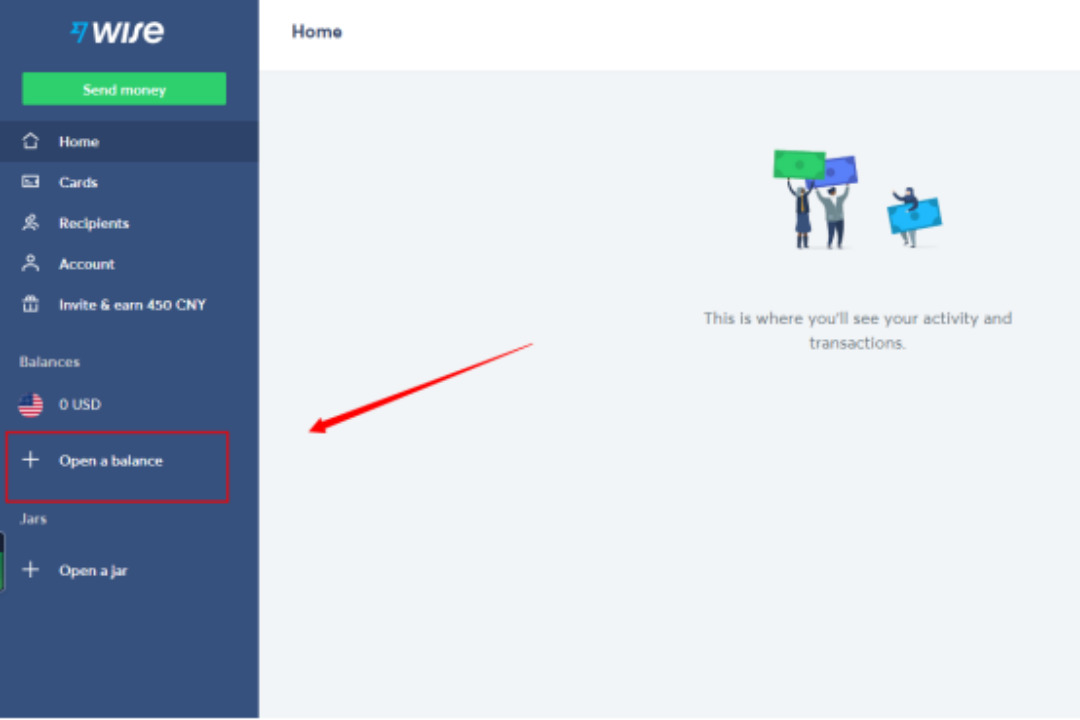
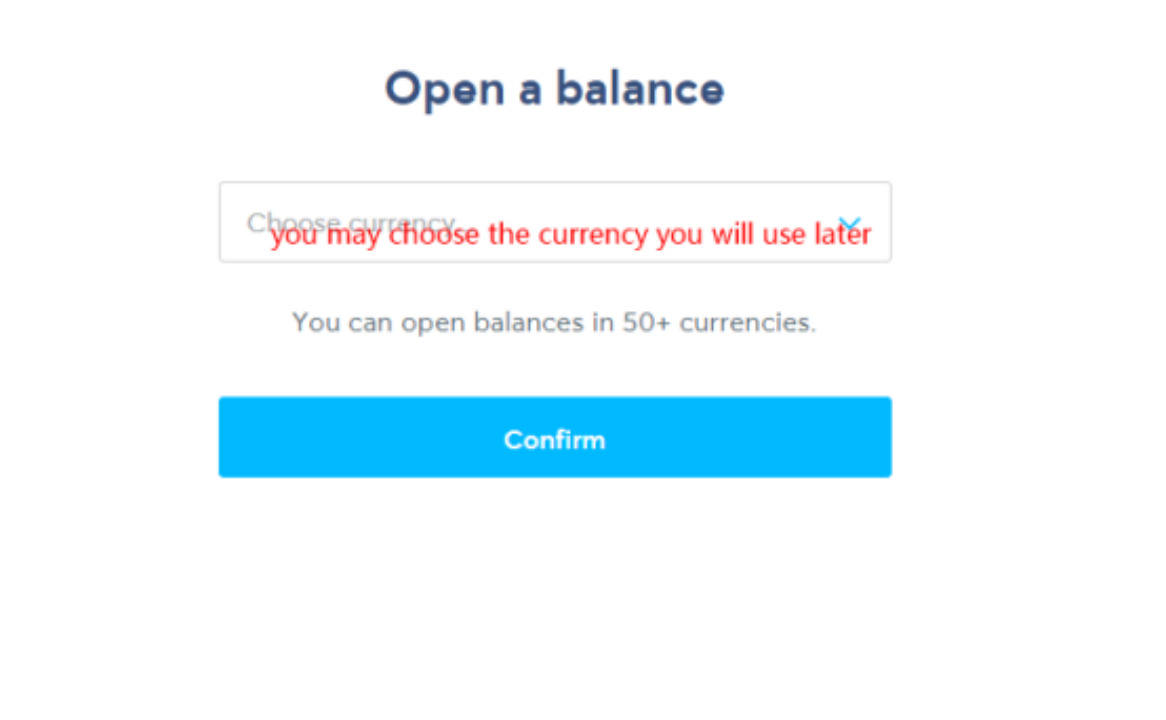
The register step is done. Let's open the balance before sending money. I have already done with USD, you should see "start" on the same position if the account is totally new.
Kakobuy
now accepts
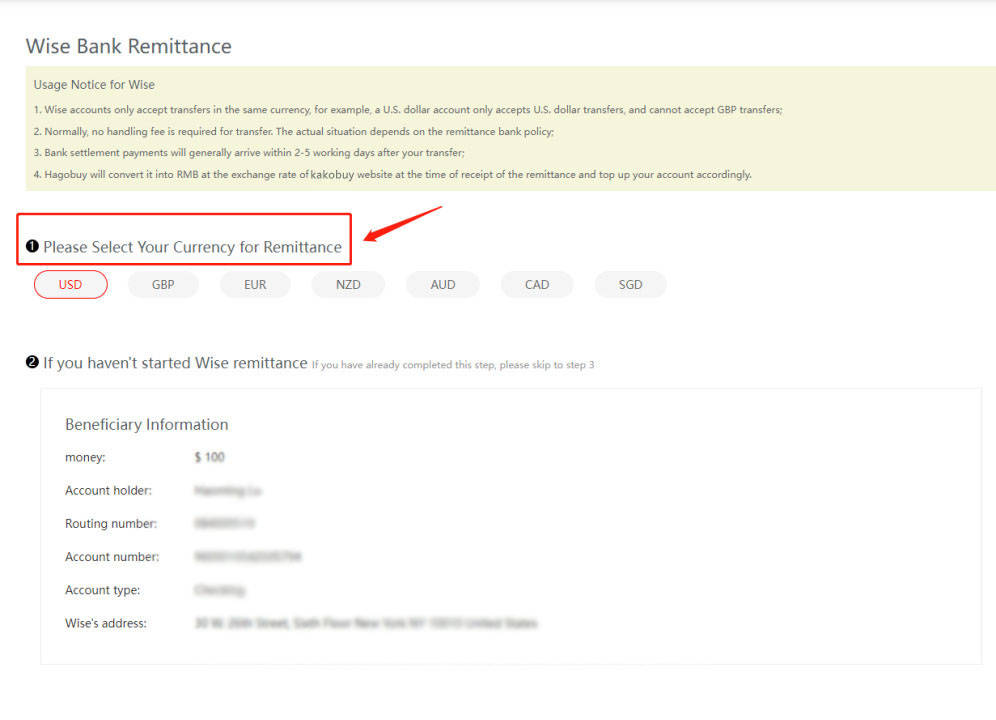
currencies on direct transfer(USD-GBP-EUR-NZD-AUD
-CAD-SGD
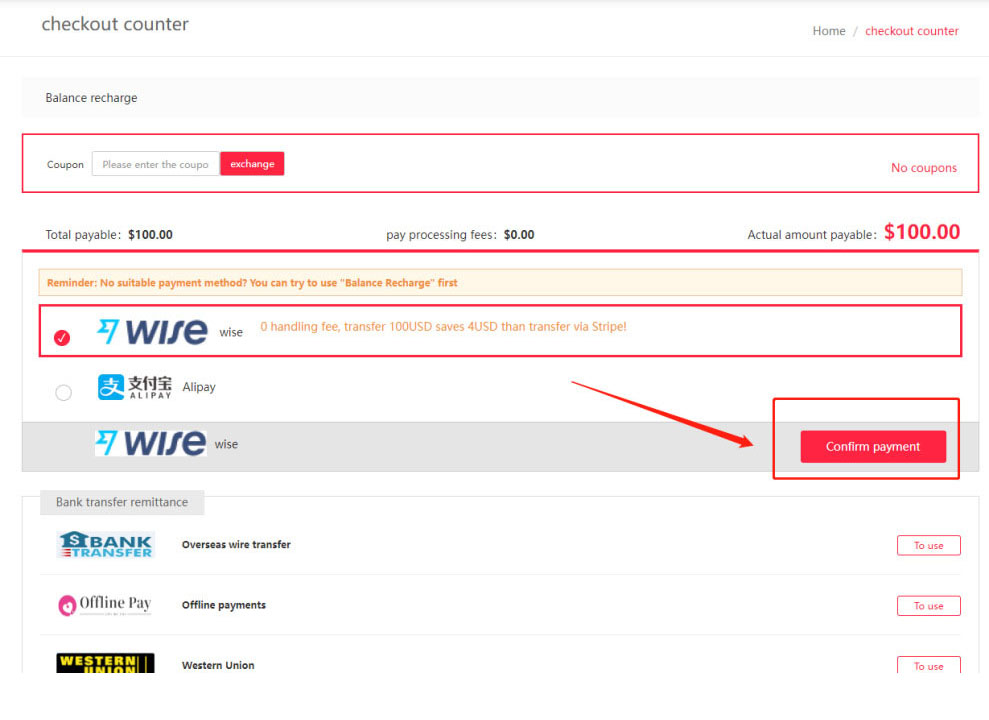
), the details could be found here:
https://www.kakobuy.com/index/pay/wise/tradesn/CZ20230104113343126711.html
It's recommended to open balance based on these
options. of course, it's ok if your currency is not one of them, it won't affect the transfer, your transfer would just need to go through more currency converting.
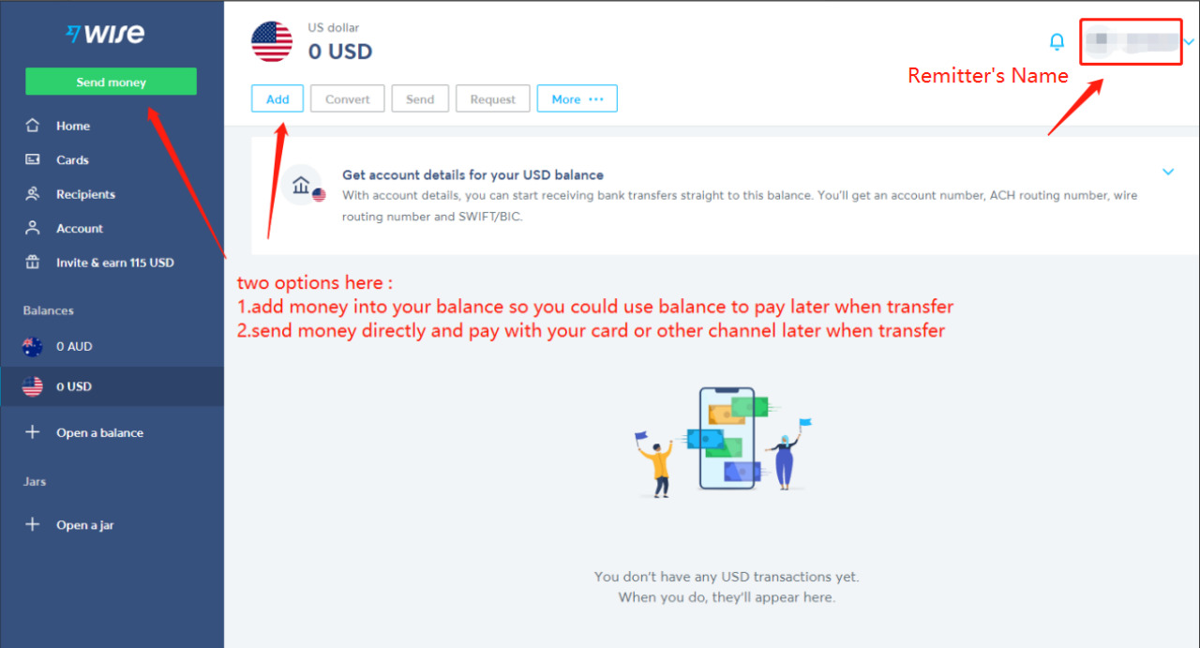
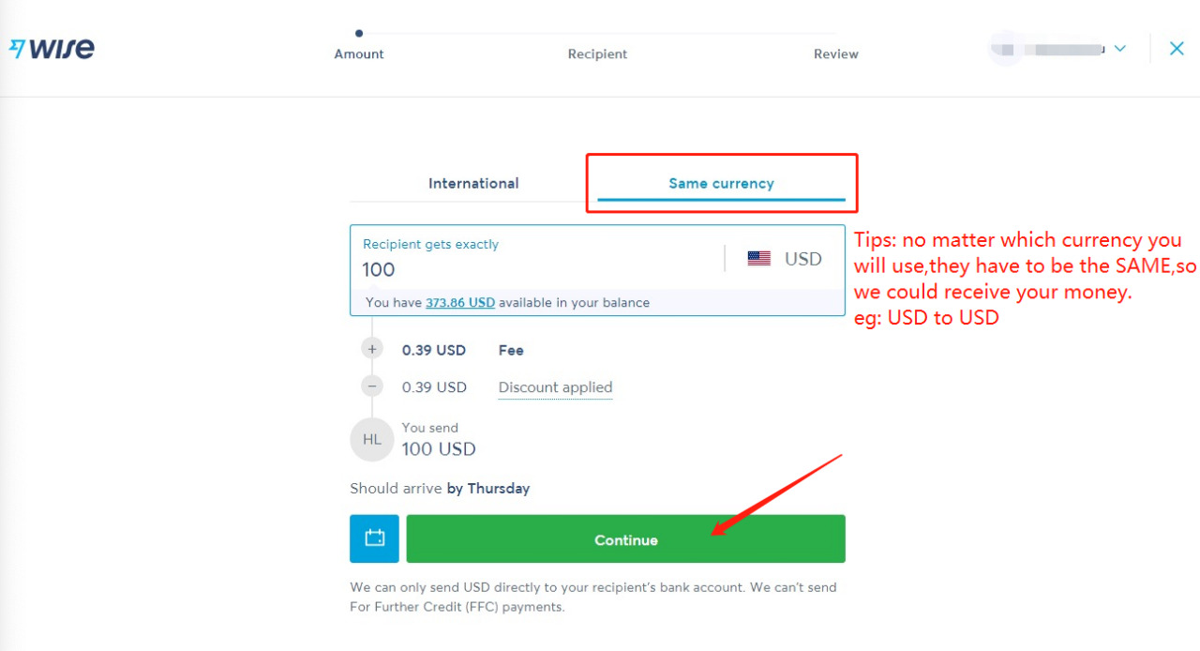
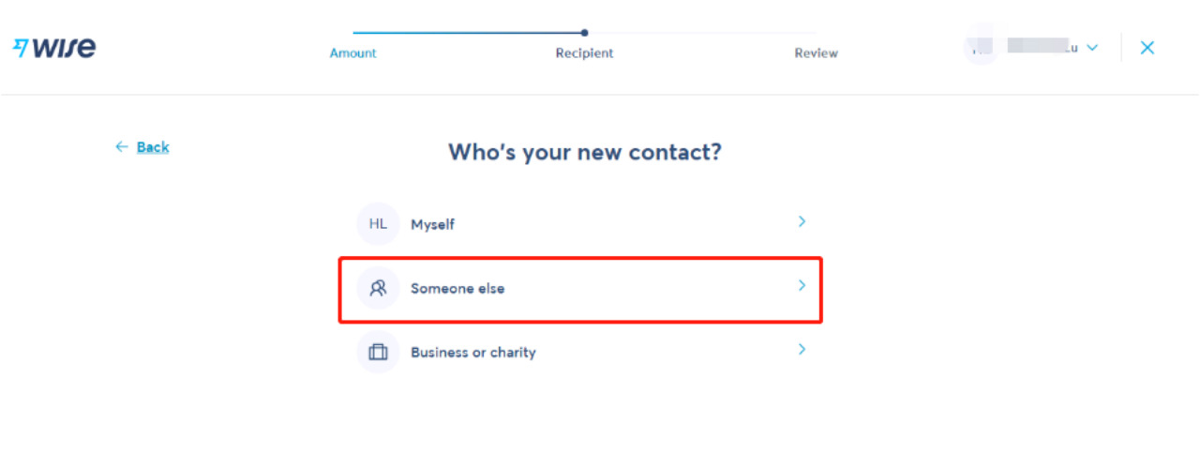
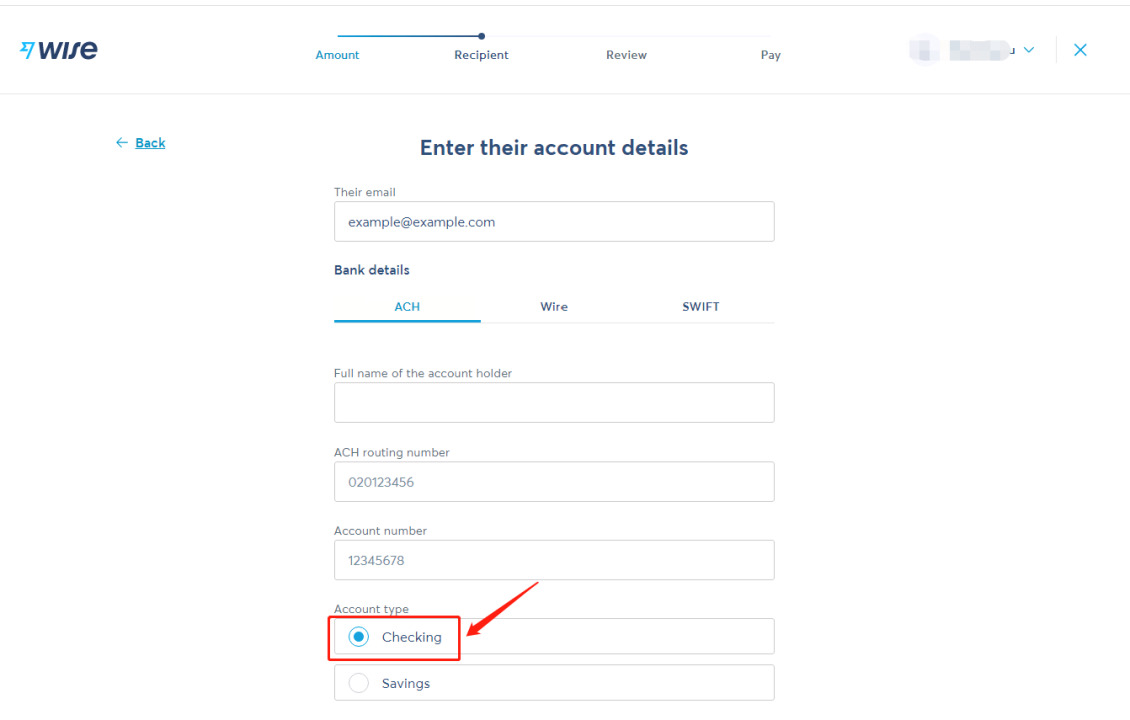
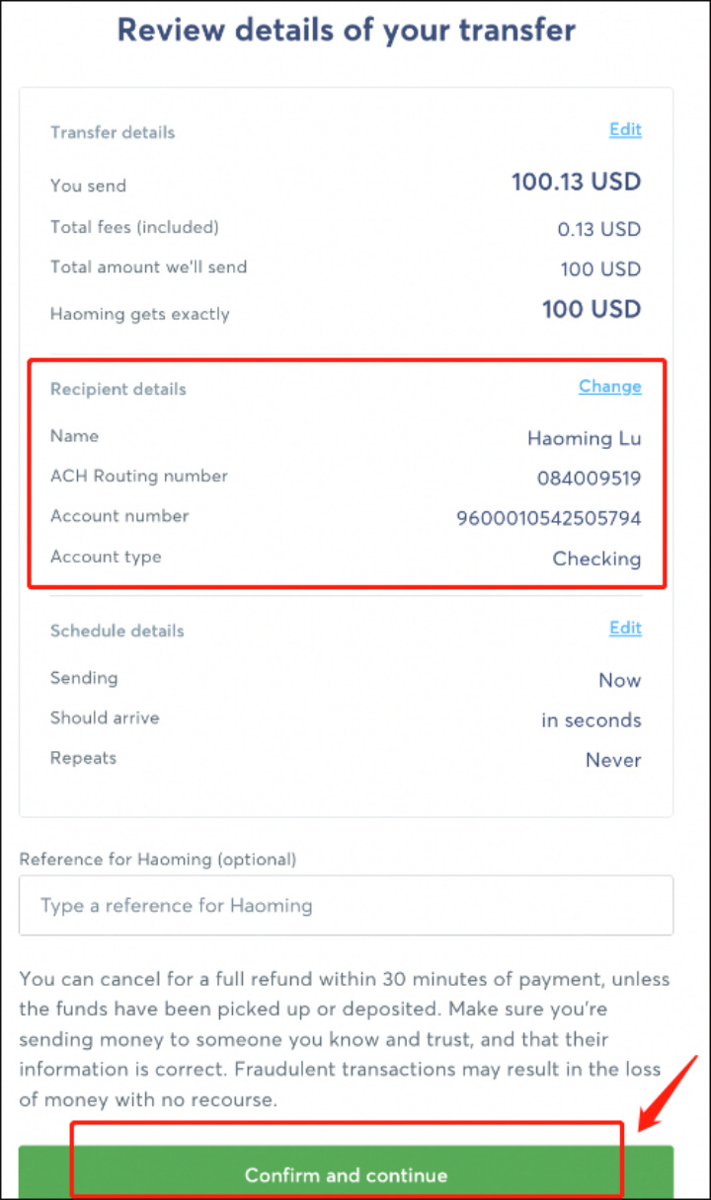
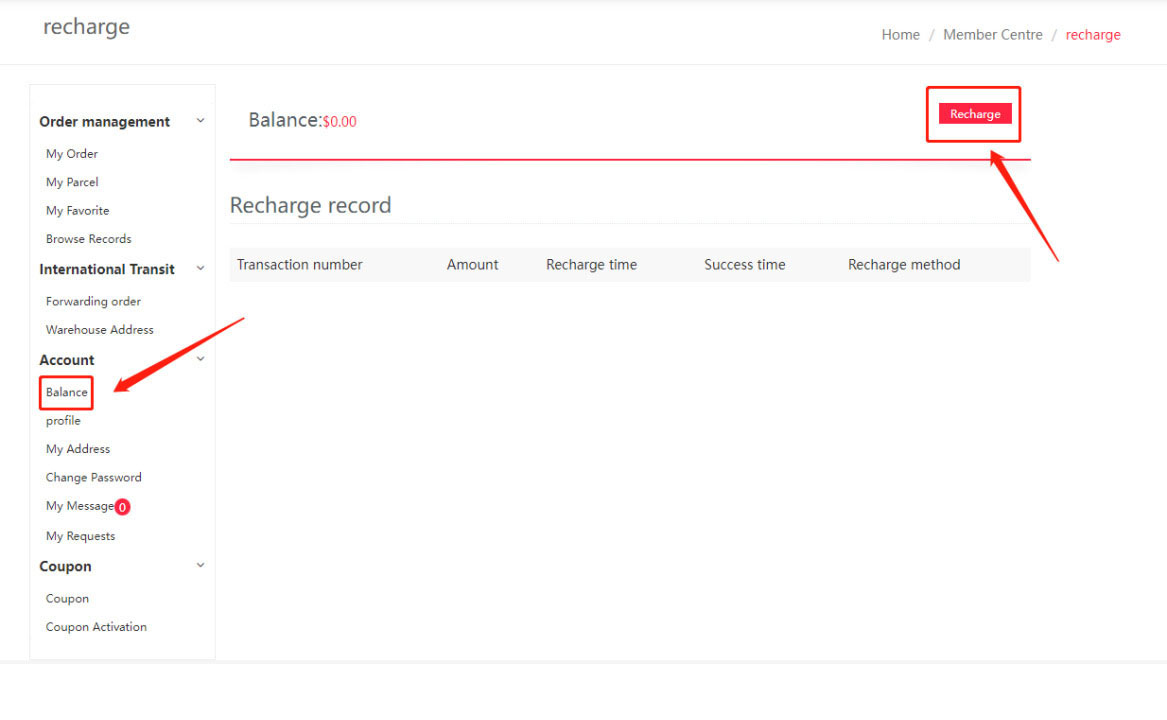
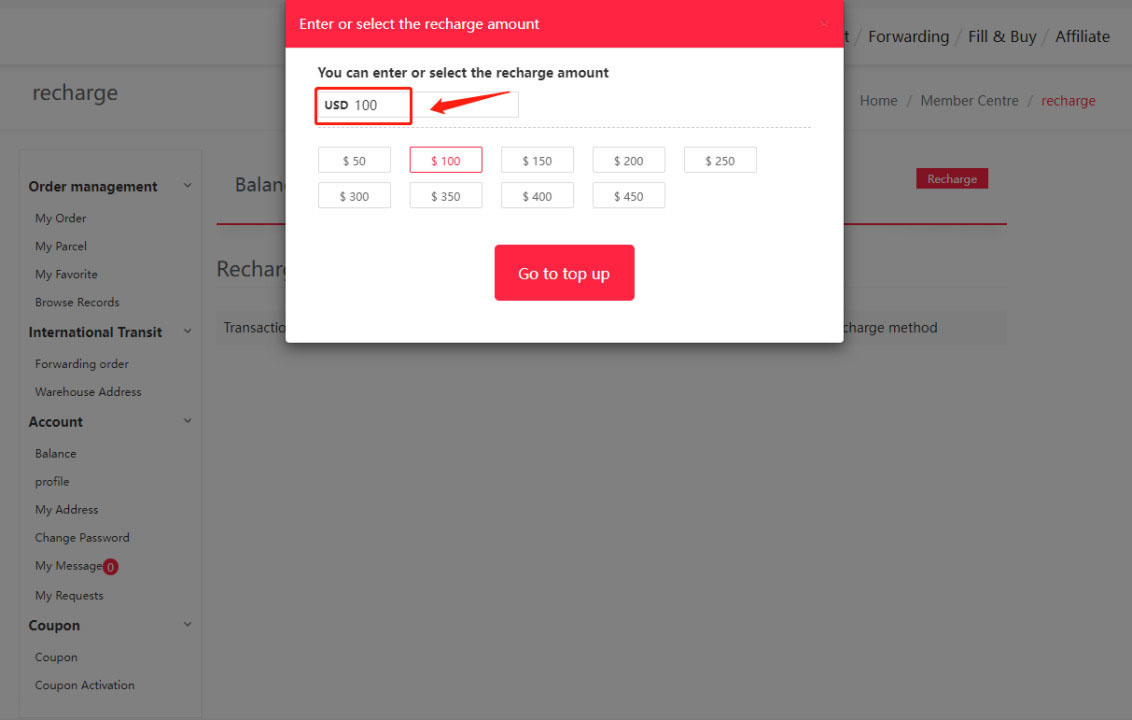
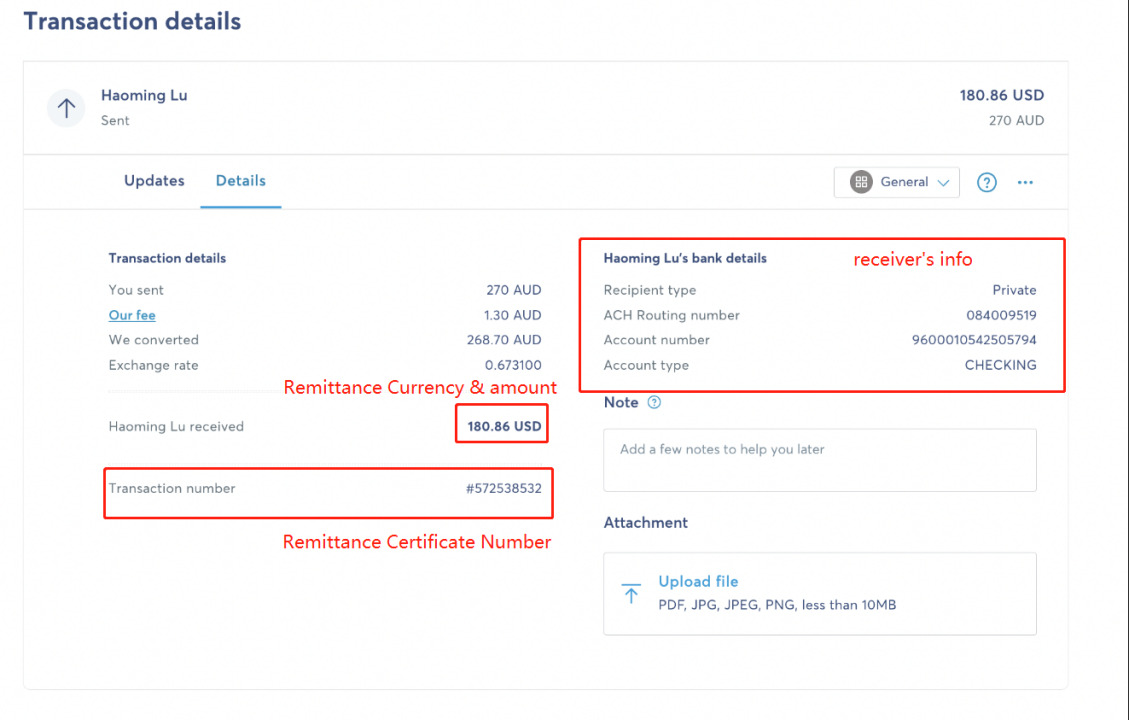
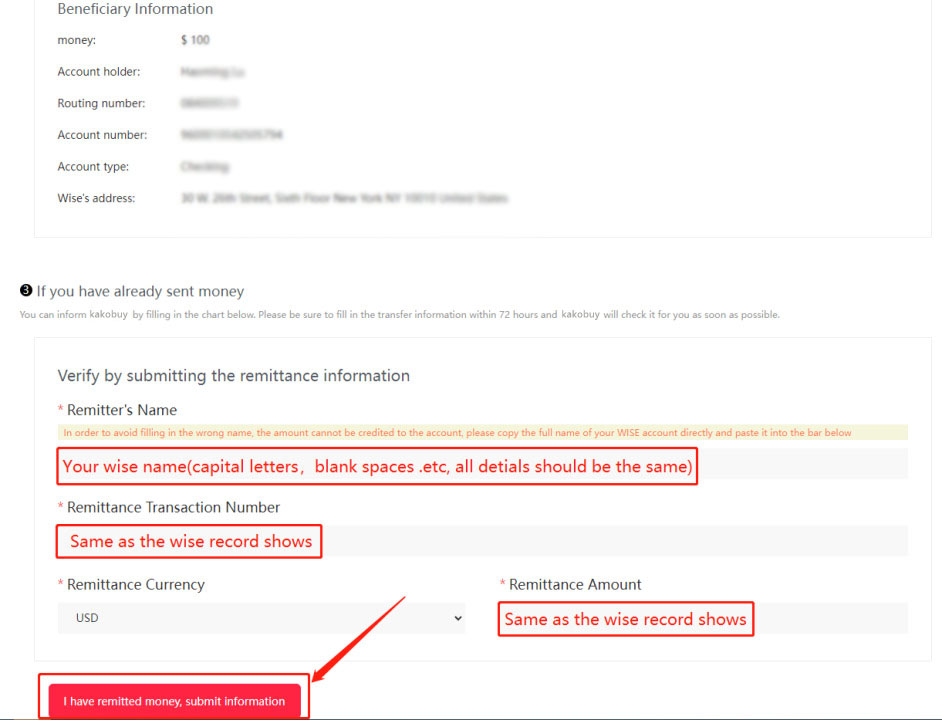
Follow the guide below, it should be done very soon.
Once step 3 is done, you could choose to top up money into the WISE balance firstly or send money directly. I will choose "send money "direc...