Kakobuy Account, Top-Up, Payments & Refunds
Everything about money and access on Kakobuy: creating and recovering your account, topping up your balance, every supported payment method (PayPal, Wise, Alipay, WeChat, cards, bank transfer) with their fees, and how refunds work.
Kakobuy runs on a prepaid balance: you top up in your currency, then spend that balance on goods, freight and services. This guide covers account setup, how to top up, which payment methods carry fees, and the rules for getting money back.
Registering a new account
Signing up is quick and free:
- Click “Free Registration” at the top of the Kakobuy homepage.
- On the registration page, enter a valid email you use regularly, set a username and password, enter the verification code, and click Register.
Use a real, working email — you’ll need it for verification and password recovery.
Changing or recovering your password
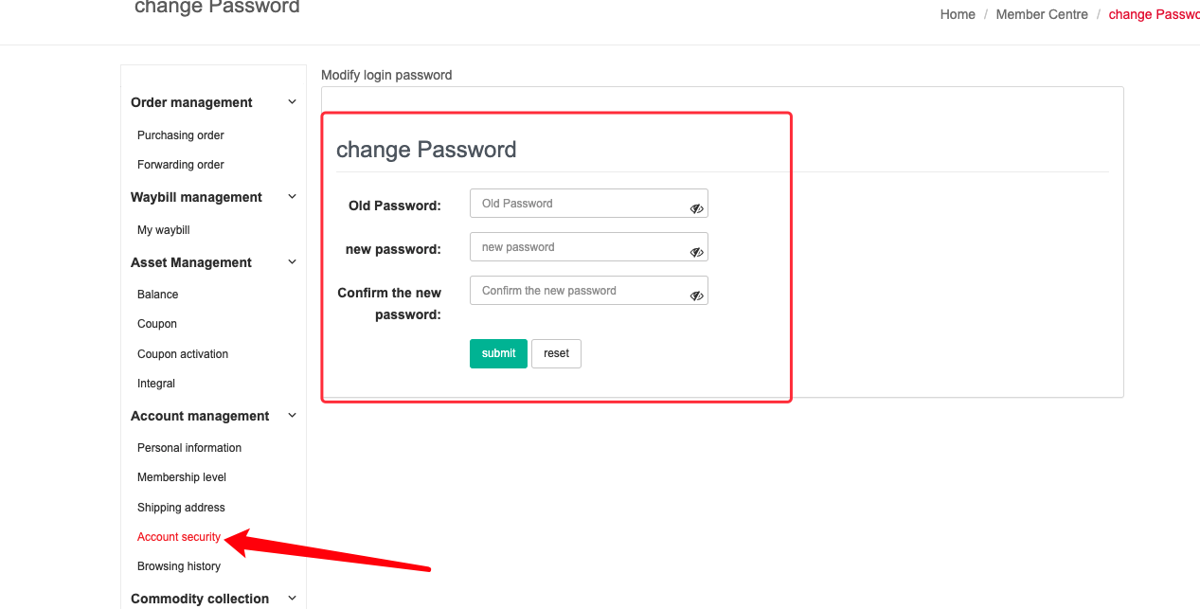
Change it: open the Member Center, find “Change Password”, and update it.
Forgot it? Recover it yourself online:
- On the login page, click “Forgot Password”.
- Choose your registration email and click “Send verification code”; you’ll receive a code by email.
- Enter the code, set a new password, and log in with it.
How to top up your balance
Log in, open the Member Center, and click Recharge. Enter or select an amount (denominated in yuan) and pay with any supported method below. Because a topped-up balance avoids repeated payment fees, it’s the most economical way to pay for orders.
Payment & deposit methods (and their fees)
You can pay directly at checkout or, better, top up your balance first to reduce exchange losses and per-transaction fees. Kakobuy supports multiple recharge and payment options:
- Balance payment — spend your prepaid balance; no per-order fee. Recommended.
- PayPal / international card — accepts VISA, Mastercard, American Express and JCB (plus some national cards). Payments convert to USD. PayPal charges roughly 3.5% + $0.30.
- Alipay — no handling fee; funds may take 1–60 minutes to post.
- WeChat Pay — no handling fee; funds may take 1–60 minutes to post.
- Wise — lower fees and more currencies than PayPal (see the Wise section below).
- Bank / wire transfer — available for overseas transfers.
Tip: for lowest cost, top up your balance via Wise or Alipay and then pay orders from the balance, rather than paying each order by card.
Paying with PayPal
PayPal supports VISA, Mastercard, American Express and JCB, plus some national banks. Any currency converts to USD when you pay.
- Select PayPal at checkout.
- Choose to pay from your PayPal balance or a credit/debit card.
- Make sure the delivery address on the PayPal page matches the address you use when submitting the parcel on Kakobuy.
International credit card
International credit-card payments are processed through PayPal’s card channel — you can pay by international credit card via PayPal without needing a PayPal balance.
Paying with Wise (recommended)
Kakobuy recommends Wise as a primary method because it has lower fees and supports more currencies than PayPal. Kakobuy accepts direct transfers in several currencies — USD, GBP, EUR, NZD, AUD, CAD and SGD. If your currency isn’t listed, transfers still work; the money just goes through extra conversion.
Getting started with Wise:
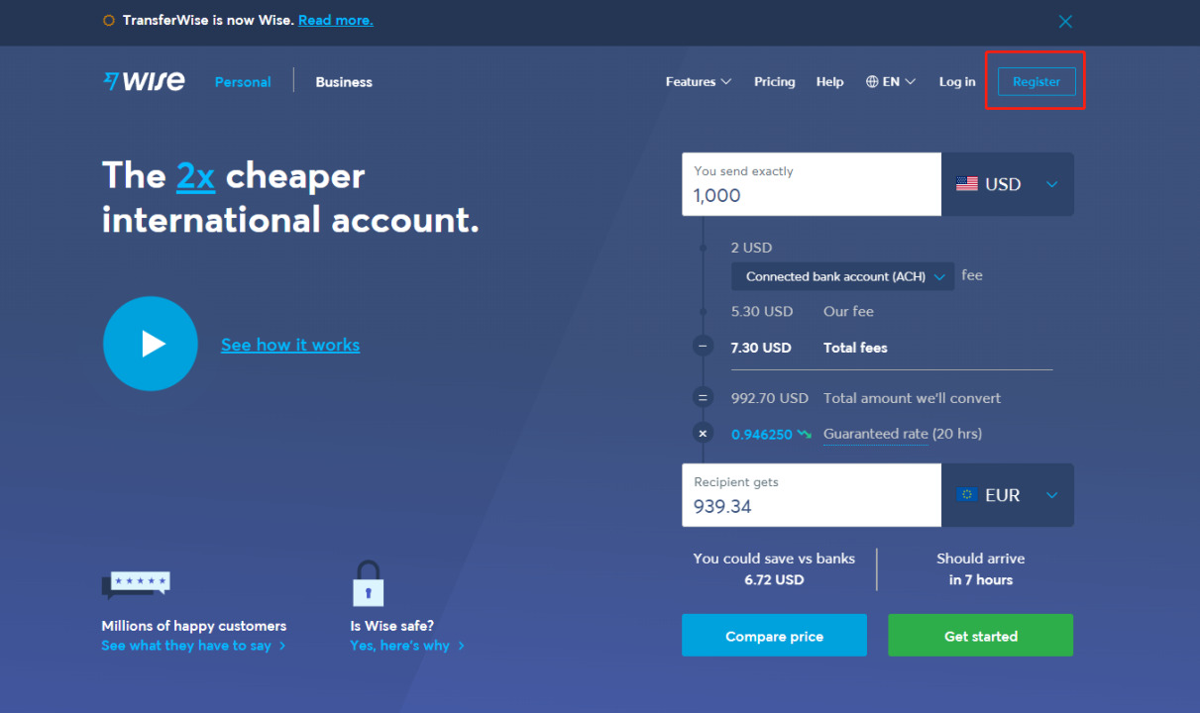
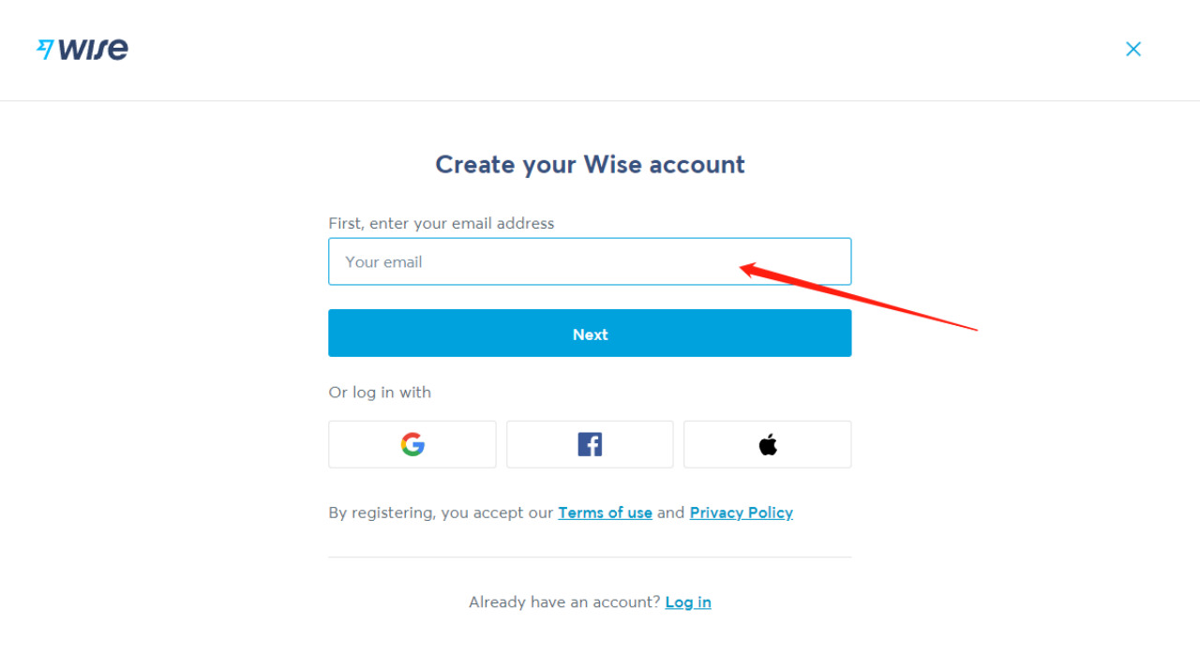
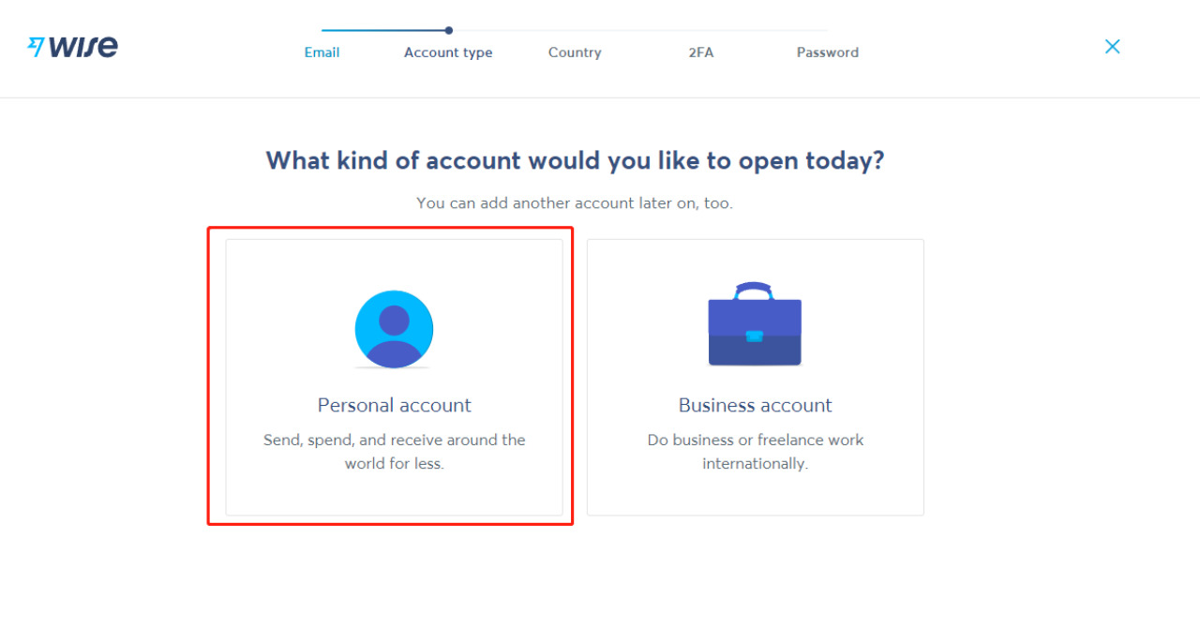
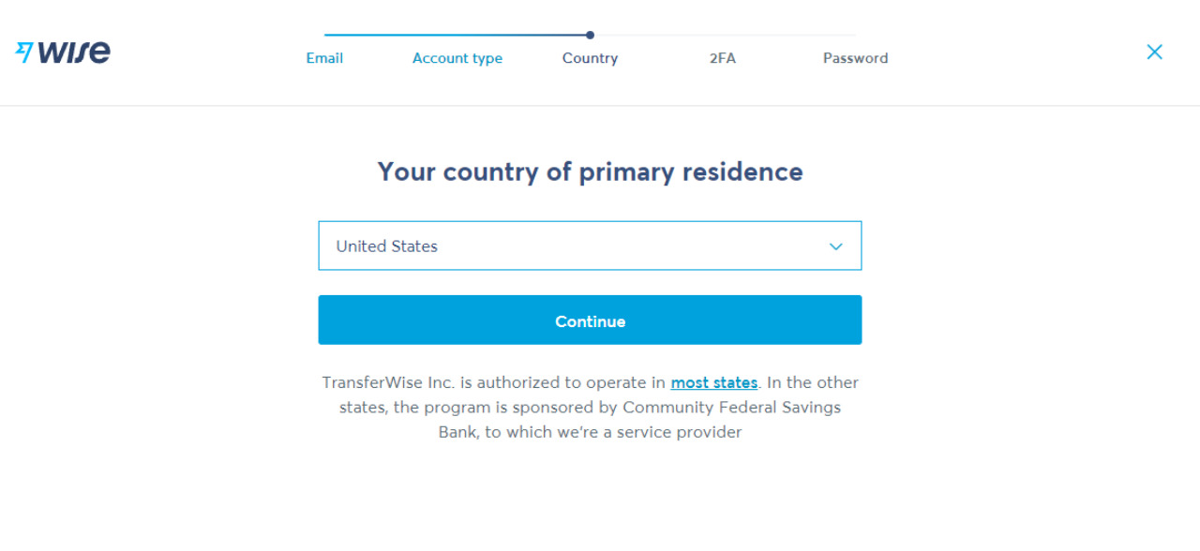
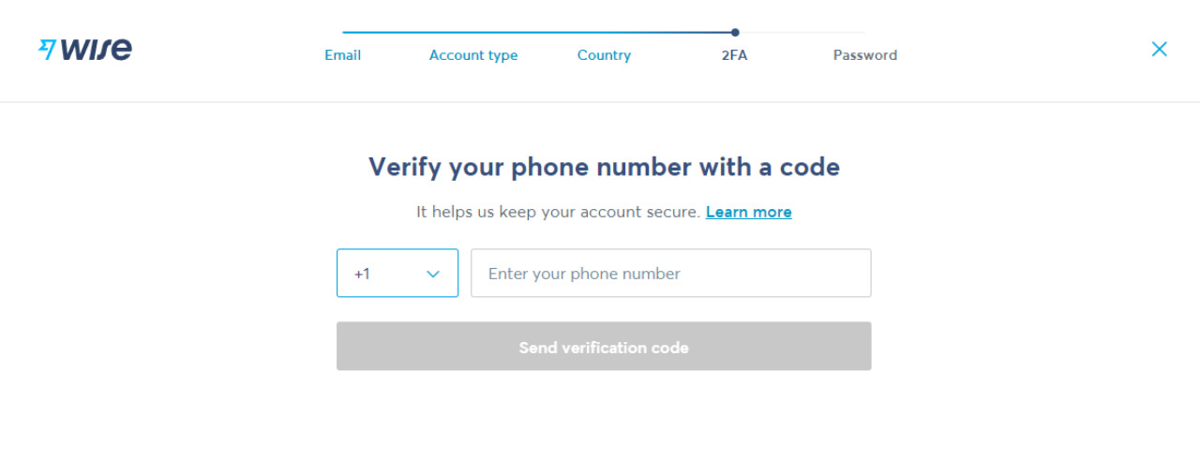
- Register at wise.com with a valid email and verify your phone with the 6-digit code.
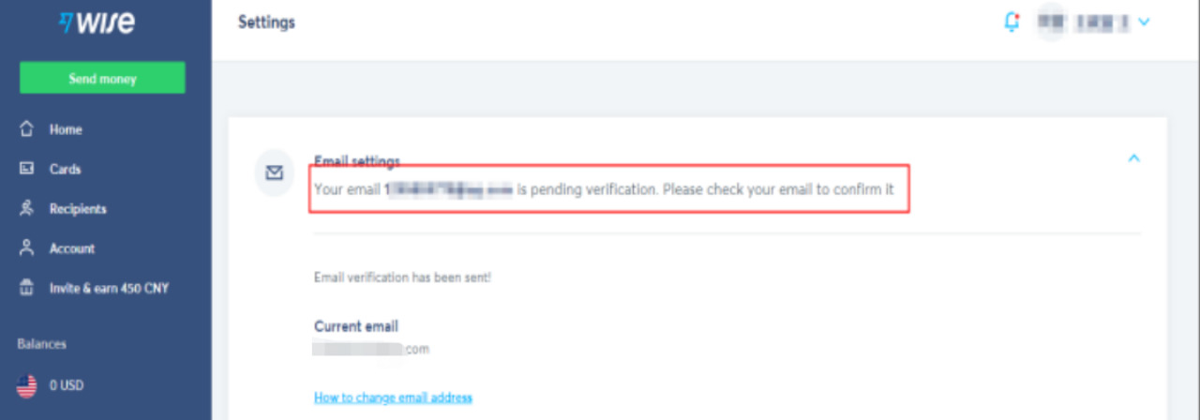
- Verify your email via the link Wise sends (check spam if it’s slow).
- Open a balance — ideally in one of the currencies Kakobuy accepts directly.
- Choose to top up your Wise balance first or send money directly, then transfer to Kakobuy following the on-site payment details.
The screenshots below walk through registration and a transfer step by step.
Alipay
Select Alipay on the checkout/cashier page to pay with Alipay. There’s no handling fee, and funds usually post within 1–60 minutes.
WeChat Pay
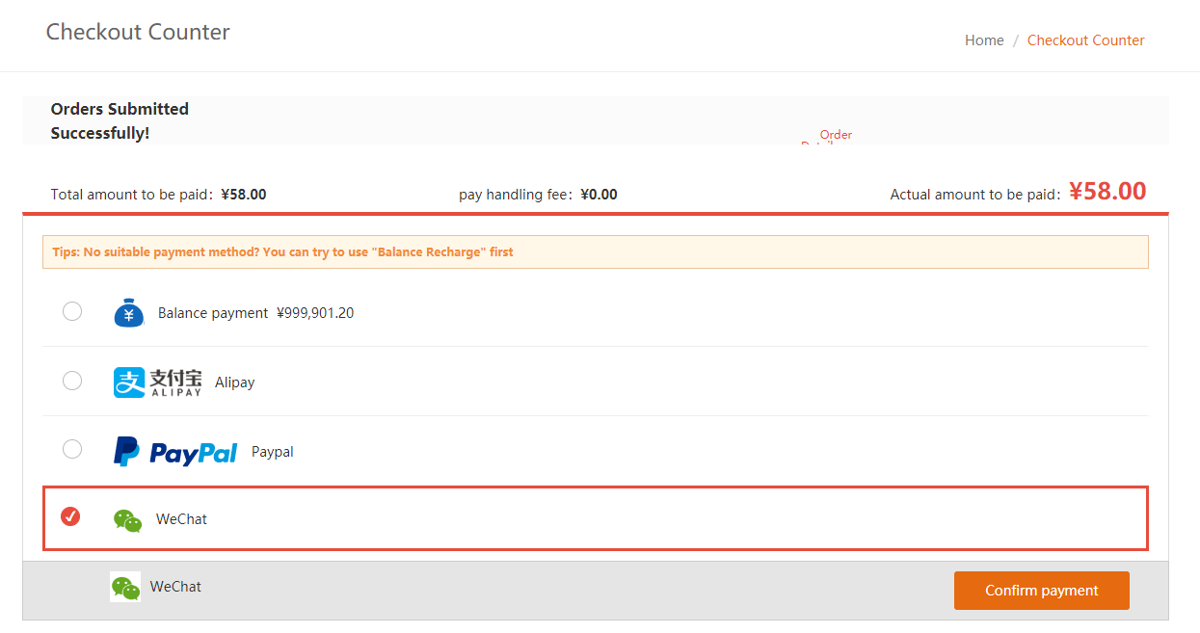
Select WeChat Pay on the checkout/cashier page to pay with WeChat. There’s no handling fee, and funds usually post within 1–60 minutes.
Refund terms & conditions
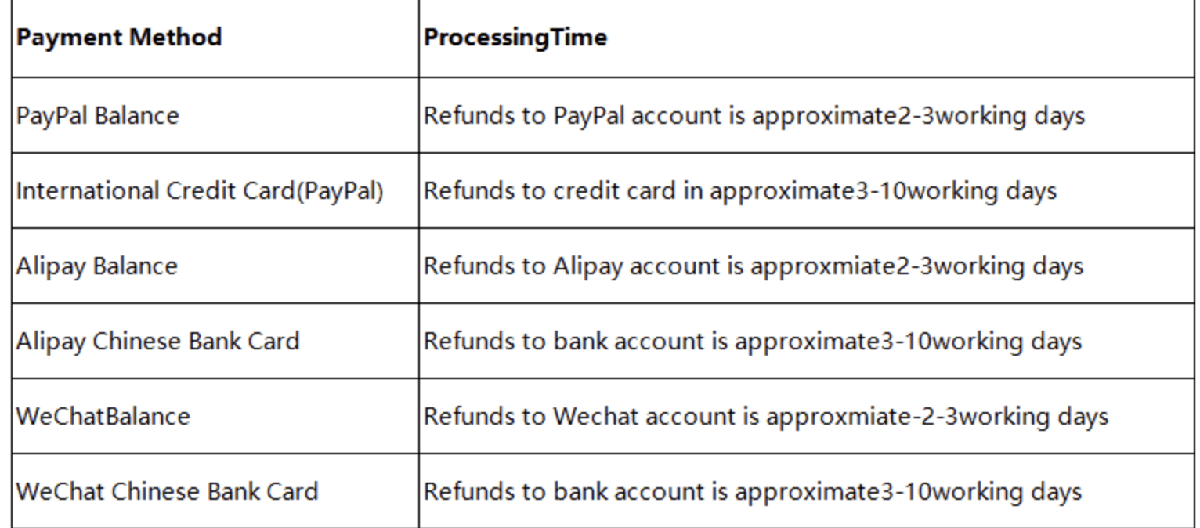
- Online payments (PayPal, card, etc.): refunds go back to the original account via the original method. Any resulting handling fee is borne by the user.
- Remittance top-ups: Kakobuy must verify your details (credit-card billing address, front/back of the card, ID). After review, finance processes it within 2–3 days; any handling fee is borne by the user.
- Timing: after a successful recharge, wait more than 2 days before submitting a refund application.